Prompt Injection
Guide agents to produce Obsidian-flavored Markdown by injecting short formatting instructions into the first message of each session.
Why?
AI agents are trained on standard Markdown, but Obsidian uses extended syntax for some elements. Without guidance, agents may produce output that misses out on Obsidian features:
- Notes referenced as
[Note](note.md)instead of[[Note Name]]wikilinks, which are how Obsidian links notes by name and builds the backlink graph - Math formulas wrapped in
\(...\)or\[...\]instead of$...$or$$...$$, which Obsidian does not render as math - Markdown tables placed without a leading blank line, causing them to render as plain text
Prompt injection adds short, focused instructions so the agent produces output that looks right in Obsidian from the start.
How it works
When you send the first message of a new session, the plugin appends one or more short instruction sentences to your prompt. The agent sees both your message and the formatting guidance, and applies it across the rest of the session.
INFO
Instructions are only injected on the first message of each session, not on every message. They live for the duration of the agent's context window.
Settings
Configure in Settings → Agent Client → Prompt injection:
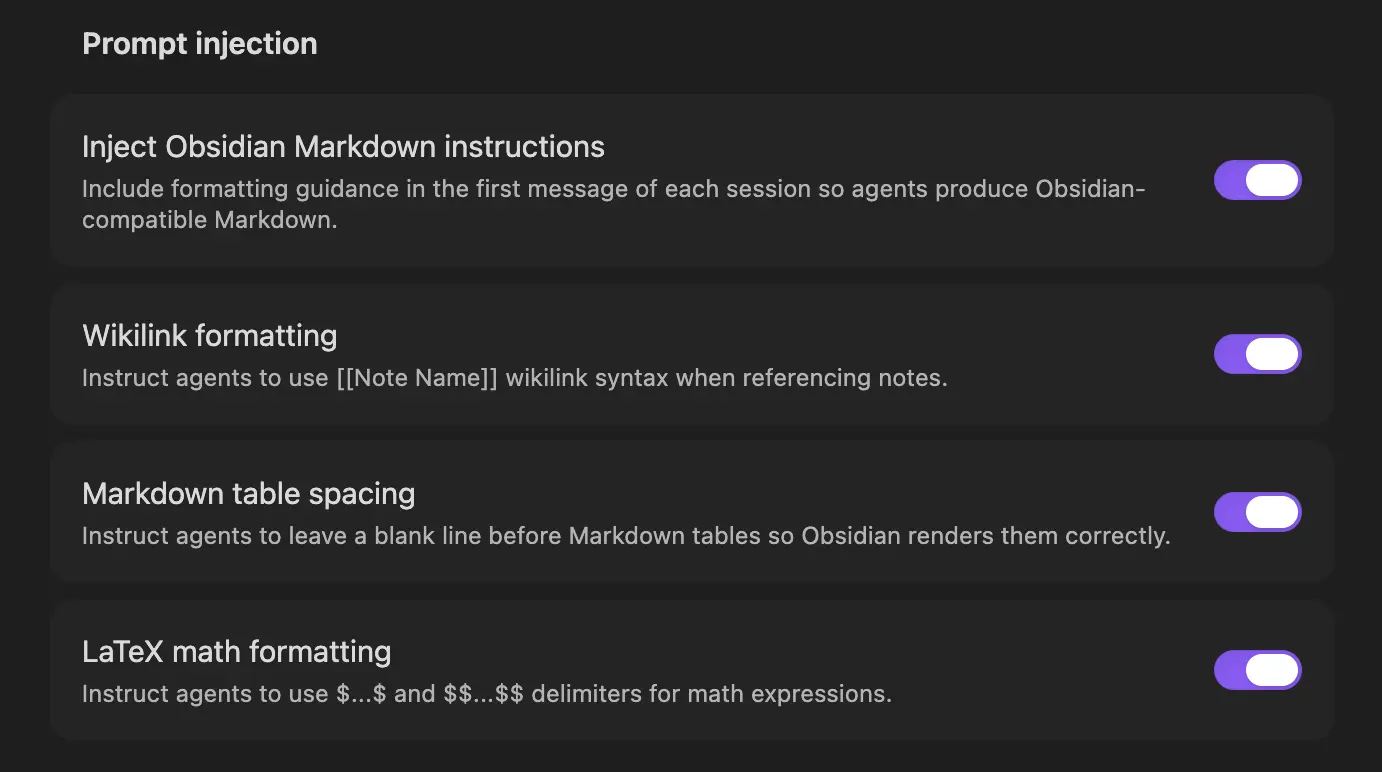
| Setting | Default | Description |
|---|---|---|
| Inject Obsidian Markdown instructions | On | Master toggle — turn off to disable all injection |
| Wikilink formatting | On | Instruct agents to use [[Note Name]] syntax when referencing notes |
| Markdown table spacing | On | Instruct agents to leave a blank line before Markdown tables |
| LaTeX math formatting | On | Instruct agents to use $...$ and $$...$$ delimiters for math |
When the master toggle is off, no instructions are injected regardless of the sub-toggle states. When the master toggle is on, only the enabled sub-toggles are injected.
Not the same as "Expand wikilink context"
Wikilink formatting here asks the agent to write [[Note Name]] links in its replies. The separate Mentions → Expand wikilink context setting resolves [[links]] already inside your notes into file paths. Different direction, different setting—see Note Mentions.
Instruction Text
For reference, the exact strings injected when each toggle is on:
- Wikilink: "When referencing notes in this vault, use [[Note Name]] wikilink syntax so they become clickable links."
- Tables: "Always leave a blank line before Markdown tables; without it Obsidian renders them as plain text."
- LaTeX math: "This client uses Obsidian Flavored Markdown. For math, use $...$ for inline and $$...$$ for display (not \(...\) or \[...\])."
When to Disable
You may want to turn off some or all toggles if:
- You are writing prose that doesn't reference notes, math, or tables
- The agent already follows Obsidian conventions reliably for your use case
- You want to minimize the size of the first prompt for performance or cost reasons
TIP
If an agent ignores some instructions despite the toggle being on, that is an agent limitation rather than a plugin bug. Try a different model or agent, or rephrase the instruction in your own message.
See Also
- Context Files — agent-side guidance via
CLAUDE.md/AGENTS.md/GEMINI.md - Note Mentions — sharing note content with the agent