Chat Export
Save your conversations with AI agents for future reference.
Manual Export
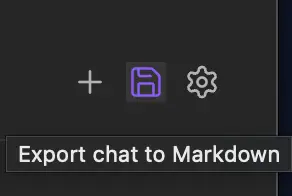
Click the export button in the chat header to export the current conversation.
Export Settings
Configure export options in Settings → Agent Client → Export:
| Setting | Description |
|---|---|
| Export folder | Folder where chat exports will be saved (default: Agent Client) |
| Filename | Template for filenames. Use {date} and {time} as placeholders |
| Frontmatter tag | Tag added to exported notes (default: agent-client). Supports nested tags like projects/agent-client |
| Auto-export on new chat | Automatically export when starting a new chat |
| Auto-export on close chat | Automatically export when closing the chat view |
| Open note after export | Automatically open the exported note |
| Include images | Save images attached in messages and returned by tools (default: enabled) |
| Image location | Where to save images: Obsidian's attachment folder, custom folder, or embed as Base64 |
| Custom image folder | Folder path for images when using custom location |
| Include audio | Save audio returned by tools (default: enabled) |
| Audio location | Where to save audio: Obsidian's attachment folder or a custom folder |
| Custom audio folder | Folder path for audio when using custom location |
Export Format
Chats are exported as Markdown files with YAML frontmatter:
markdown
---
created: 2025-12-13T00:31:12
agentDisplayName: Claude Code
agentId: claude-agent-acp
session_id: f95b4847-cb9c-441a-9f0b-08eb243ff5dd
tags: [agent-client]  # Customizable in settings
---

# Claude Code

## 0:31:12 - User

@[[Agent Client Plugin]]
Summarize this, please.


---

## 0:31:16 - Assistant

### 🔧 Read File

**Locations**: `/Users/rait09/Documents/dev_vault/Agent Client Plugin.md:0`

**Status**: completed

## Summary: Agent Client Plugin for Obsidian

This is an Obsidian plugin that integrates AI coding agents (Claude Code, Codex, Gemini CLI) directly into your vault.
...
What Gets Exported
- Messages: Full conversation history with timestamps
- Images: Attached images (saved as files or embedded, based on settings)
- Tool calls: Tool name, locations, status, and diffs
- Tool results: Text output (fenced), images and audio (saved as attachments), resource links, and embedded resources; raw output when a tool returned no content
- Thinking: Agent's reasoning (as collapsible callouts)
- Plans: Task plans with status indicators
- Note mentions: Auto-mention and manual mentions in
@[[note]]format
Use Cases
- Documentation: Keep records of conversations and decisions
- Learning: Review agent explanations later
- Sharing: Share solutions with others
- Debugging: Reference what the agent did for troubleshooting