Editing
Agent Client allows AI agents to edit files in your vault and working directory.
How Editing Works
When you ask the agent to modify files:
- The agent proposes changes
- You see the proposed edits in the chat
- The agent may request permission to apply changes
- Changes are applied to your files
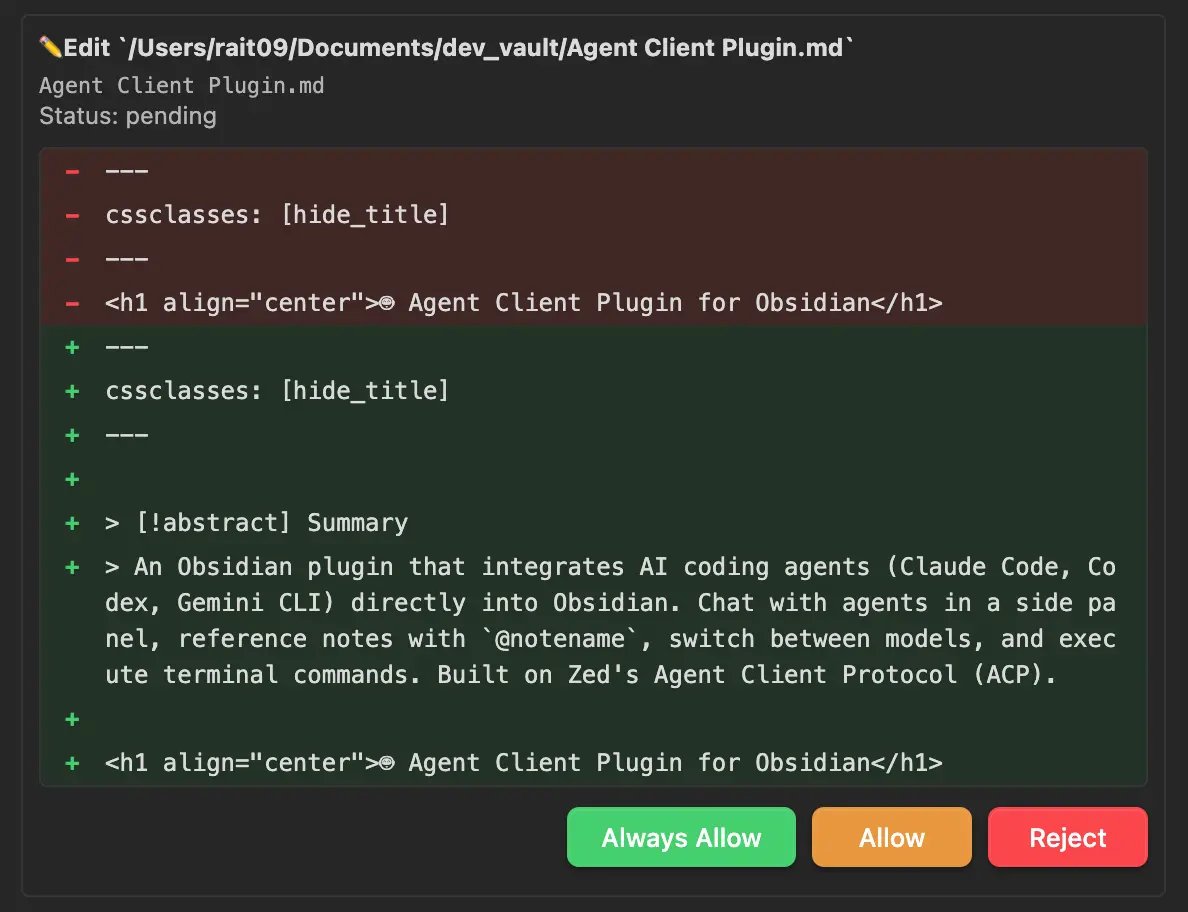
Permission Controls
Some agents request permission before performing certain actions. When a permission request appears:
- Review the proposed action
- Select one of the available options provided by the agent
TIP
Permission options vary by agent. Some agents may not request permission at all and edit files directly.
Auto-Allow Permissions
In Settings → Agent Client → Permissions → Auto-allow permissions, you can automatically allow all permission requests from agents.
WARNING
Use with caution—this gives agents full access to your system without confirmation prompts.
Viewing Changes
The chat displays file changes with:
- File path: Which file was modified
- Diff view: What was added/removed (when available)
- Status: Success or failure of the operation
Auto-Collapse Long Diffs
Large diffs can be automatically collapsed to keep the chat readable. This feature is disabled by default.
| Setting | Default | Description |
|---|---|---|
| Auto-collapse long diffs | Off | Enable automatic collapsing of large diffs |
| Collapse threshold | 10 lines | Diffs exceeding this line count are collapsed |
Configure these in Settings → Agent Client → Display.
Collapsed diffs can be expanded by clicking on them.
Best Practices
- Use version control: Keep your vault in Git before letting agents edit
- Review changes: Check diffs before confirming major modifications
- Start small: Test with minor edits before complex changes
Undo Changes
If an agent makes unwanted changes:
- Use Editor: Cmd/Ctrl+Z in the affected file
- Use Git:
git checkout -- <file>orgit restore <file>(if your vault is version-controlled)