Mode Selection
Some agents support different operational modes that change how the agent behaves.
What are Modes?
Modes are predefined configurations that alter the agent's behavior for specific tasks. For example:
- Default Mode: General-purpose assistance
- Plan Mode: Focus on planning and architecture before implementation
Changing Modes
- Open the chat panel
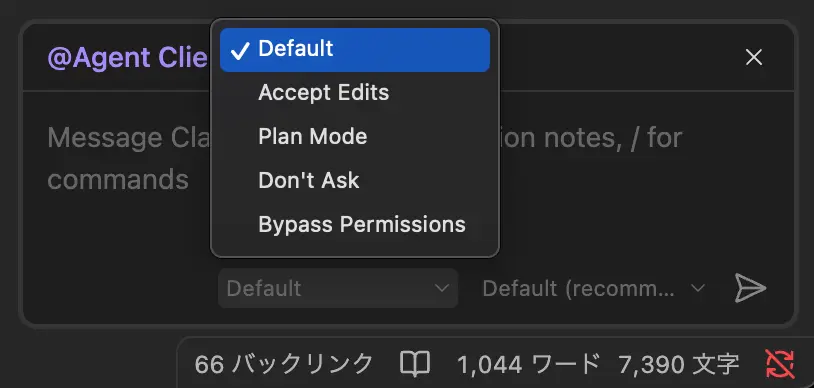
- Look for the mode dropdown below the input field
- Select the desired mode from the available options
TIP
Available modes depend on the active agent. Not all agents support multiple modes.
Mode Persistence
The selected mode persists for the current session. Your preference is remembered across sessions.